 Inbox Hours
Chrome extension for Gmail™
Check email a few times a day, not all day.
Inbox Hours hides your Gmail inbox between the delivery times you choose. Mail still arrives. You just see it in batches, when you planned to.
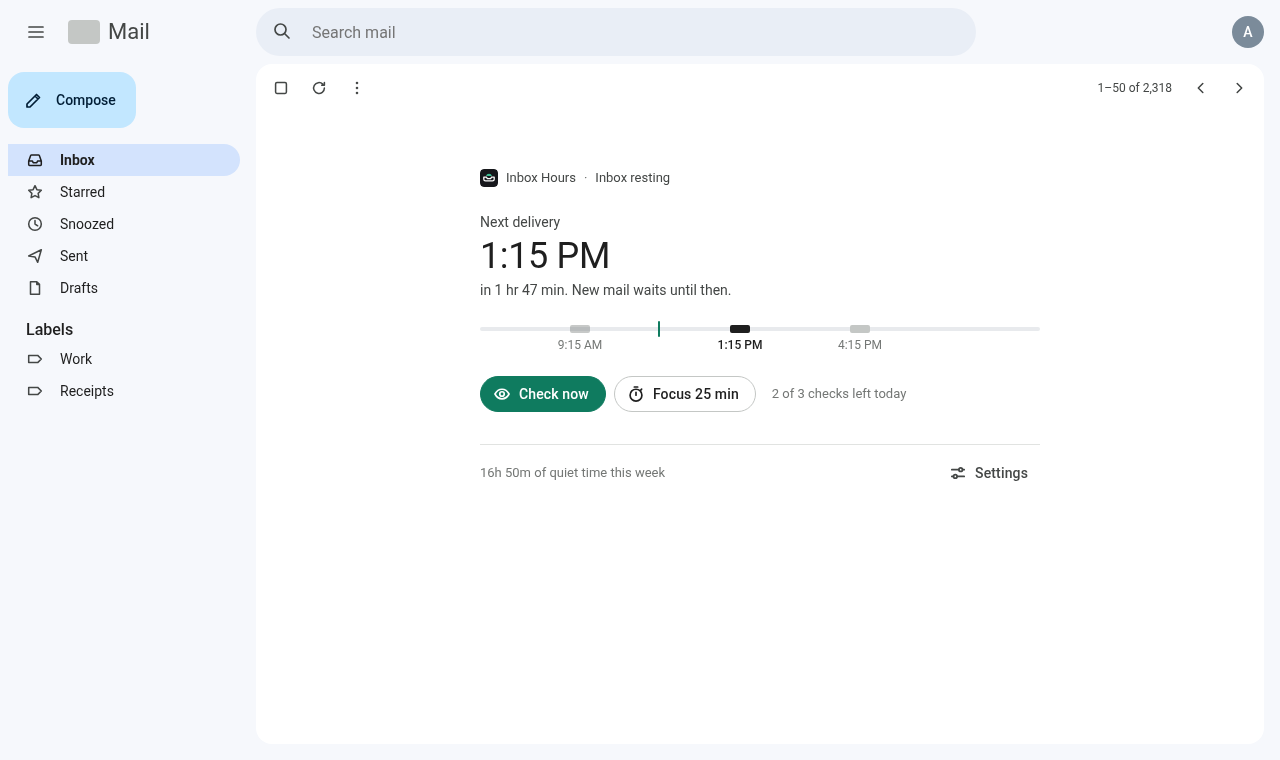
Gmail stays useful. The inbox stops pulling at you.
Everything except the inbox list works as usual: search, compose, labels, sent mail and any thread you open.
Delivery times
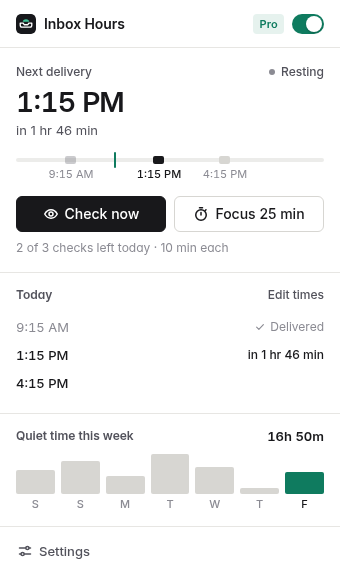
Pick when mail shows up, like 9:00, 13:00 and 17:00, and how long the inbox stays open each time.
Check now, with a limit
Need a look between deliveries? Take a short check. A daily cap keeps it a choice, not a reflex.
Focus sessions
Start 25 or 50 minutes of quiet from Gmail or the toolbar. It holds back even a scheduled delivery.
- VIP senders get throughAdd a person, a whole domain or a keyword. Their mail stays visible while everything else waits.
- Unread counts go quietBadges in the sidebar, category tabs and the tab title are hidden, so a number can’t call you back.
- Private by designEverything runs in your browser. Inbox Hours never reads, stores or sends your email.
Free for one delivery a day. Pro for the full routine.
Pro is billed through Whop. Both plans start with 14 days free and you can cancel anytime.
Free
$0
Forever
- One delivery time a day
- Check now with a daily limit
- Focus sessions
- Hidden unread counts
Pro monthly
$4 / month
14 days free
- Unlimited delivery times
- VIP senders, domains and keywords
- Weekly quiet-time stats
- Up to 3 browsers
Pro yearly 3 months free
$36 / year
14 days free · $3 a month
- Everything in Pro monthly
- One payment a year
- Cancel anytime in Whop
- Up to 3 browsers
After checkout your license key appears in your Whop orders. Paste it into Inbox Hours → Settings → Plan. How to activate
Questions
Will I miss important email?
Mail is never delayed or moved. It sits in Gmail as usual and appears at the next delivery. Search and labels always show everything, and VIP senders are visible at all times on Pro.
Does it work on my phone?
Inbox Hours works in Chrome and Chromium browsers on desktop, on mail.google.com. The Gmail mobile app is not affected.
What permissions does it need?
Only storage, alarms and access to mail.google.com. There is no Google sign-in and no Gmail API access.
How do I cancel?
Open your Whop orders, choose Inbox Hours Pro and cancel. Pro stays on until the end of the period you paid for.
Can I use one license on several computers?
Yes, on up to 3 browsers. To move it, remove the key in Settings → Plan on the old browser first.